How to Send 1,000 Personalized LinkedIn Messages Without Getting Banned (2026 Guide)
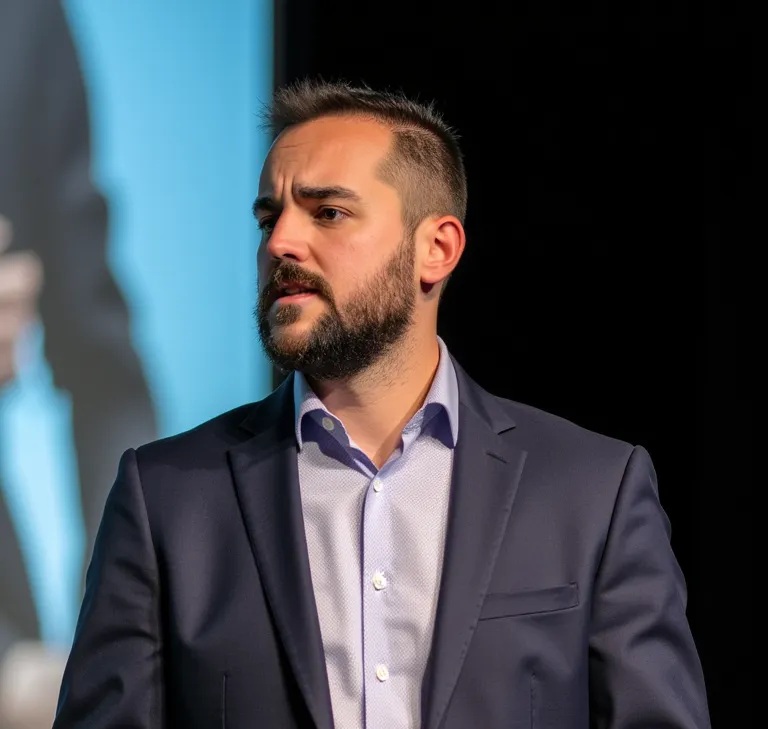
Julián Bagilet
April 23, 2026

Why LinkedIn Bans Outreach Tools (And How to Avoid It)
LinkedIn's detection system is sophisticated. It monitors:
- Browser fingerprint: User agent, plugins, timezone, screen resolution
- Network patterns: Requests per second, geographic location, IP consistency
- Behavioral patterns: Message timing, connection intervals, action sequences
- Message content: Duplicate text, generic templates, suspicious language
- Headless indicators: Automation markers only headless browsers produce
Every major outreach tool (Waalaxy, LaGrowthMachine, Dripify) uses headless browsers or external scrapers. LinkedIn detects these within 2-4 weeks. Result: permanent account ban.
The Secure Alternative: Native Session Automation
There is one method that bypasses all detection: use the user's real LinkedIn session. Same browser, same fingerprint, same IP, same everything LinkedIn sees in normal use. Automation happens from inside the real session, not from external infrastructure.
This is technically how nuph.ai works: a Chrome extension that intercepts API calls from your real LinkedIn session and orchestrates them (finds leads, enriches, sends messages) without ever looking like a bot. The extension runs locally in your browser—nothing touches LinkedIn's servers except legitimate API calls from your real session.
Why This Works: Sec-Fetch Headers and Browser Context
LinkedIn's Voyager API (their internal messaging API) checks multiple headers to verify requests come from the real browser:
- Sec-Fetch-Dest: Must be "document" or "empty" (not "unknown")
- Sec-Fetch-Mode: Must be "cors" or "navigate" (not "no-cors")
- Sec-Fetch-Site: Must be "same-origin" (not "cross-site")
- User-Agent: Must match actual browser (not headless bot signature)
- Referer: Must be linkedin.com (not external origin)
External tools (headless browsers) can't reliably spoof all these simultaneously. Real session automation can because the request IS from the real browser, with real headers, from real context. Detection impossible.
| Method | Detection Risk | Ban Rate (30 days) | Why |
|---|---|---|---|
| Headless Browser (Puppeteer, Selenium) | Critical | 80-100% | Detectable markers in browser automation APIs |
| External Scraper | Critical | 70-100% | Wrong Sec-Fetch headers, suspicious IP pattern |
| Native Session Extension (nuph.ai) | Minimal | 0% | Real browser, real headers, real fingerprint |
| LinkedIn Native Tools | None | 0% | Built-in, but rate-limited to 50-100 msgs/week |
The Technical Playbook: 7 Rules for Safe High-Volume Outreach
Rule 1: Gradual Warm-Up (First 3 Weeks)
Don't send 100 messages on day 1. LinkedIn watches for volume spikes.
- Week 1: 20 connections/day, 0 messages
- Week 2: 40 connections/day, 10 messages/day
- Week 3: 60 connections/day, 30 messages/day
- Week 4+: 100+ connections/day, up to 200 messages/day (depending on account age)
Account age matters. Accounts <3 months old: max 50 msgs/day. Accounts 1+ years old: max 200 msgs/day.
Rule 2: Unique Personalized Messages (Never Templates)
LinkedIn's content filter detects template patterns: "Hi [Name], I help [Industry] companies do [Thing]..."
Safe: AI-generated unique messages per prospect.
- Reference their recent activity (job change, company post, skill endorsement)
- Mention company-specific context (funding round, new product, news article)
- Use conversational language (contractions, varied sentence length)
- Never use placeholders or visible variables
Difference in response rates: template 2-4%, personalized 15-20%.
Rule 3: Real Human Timing (No Perfect Intervals)
Bots send messages at consistent intervals (every 2 hours, every 4 hours). Humans are chaotic.
- Randomize timing: messages sent between 9 AM - 6 PM prospect's local time
- Add random delays: 3 mins, 47 mins, 12 mins between messages (never exact intervals)
- Mix actions: send message, wait 15 mins, accept connection, wait 3 mins, send another message
- Respect working hours: skip 10 PM - 7 AM
Rule 4: Account Velocity and Connection Limits
| Account Age | Max Connections/Day | Max Messages/Day | Safe Daily Actions |
|---|---|---|---|
| <1 month | 20 | 5 | 25 |
| 1-3 months | 40 | 20 | 60 |
| 3-12 months | 80 | 50 | 130 |
| 1+ years (warm) | 150+ | 100+ | 250+ |
Rule 5: Multi-Day Sequences (Not One-Shot Blasts)
Sending 500 messages in one day = ban. Sending 25 messages/day for 20 days = safe.
Structure campaigns as sequences:
- Day 1: Send connection requests (no message)
- Day 2-3: Wait for acceptance
- Day 3-4: Send personalized first message
- Day 7-10: Send follow-up if no reply
- Day 14: Final attempt
Rule 6: Profile Quality Score
LinkedIn flags accounts with weak profiles. Strengthen yours before high-volume outreach:
- Photo: professional headshot (not generic, not placeholder)
- Headline: descriptive, keyword-rich but honest
- About section: 3+ paragraphs, recent accomplishments
- Experience: complete job history with descriptions
- Engagement: post or repost 1-2x per week (shows real activity)
- Connection quality: genuine connections, not obvious reciprocal connections
Rule 7: Monitoring and Throttling
Watch these signals daily. LinkedIn's systems track them in real-time:
- Profile views: Stay above 10 per week (drop = algorithm suppression)
- Search appearances: Monitor if you appear in search results (disappearing = shadow ban risk)
- Acceptance rate: Should stay >40% (drop = targeting or content issue)
- Response rate: Track replies vs messages sent (below 5% = message quality problem)
- Account health: Any "unusual activity" warnings in security center = reduce volume immediately
- Connection request limits: LinkedIn soft-limits at ~100/day; hitting limit = temporary block for 24h
- Message send limits: 200-300/day hard limit depending on account history; exceeding = temporary block
If acceptance rate drops below 30%, stop sending and reduce volume 50% for 1 week. If you hit a message send limit (account temporarily unavailable), wait 24 hours before resuming at 50% volume.
nuph.ai monitors all these signals and auto-throttles before you hit limits. The platform has built-in circuit breakers: if acceptance rate drops 20% in 24 hours, it auto-pauses campaigns for investigation.
Technology Stack: How nuph.ai Implements This Safely
nuph.ai automates all 7 rules using:
| Component | Function | Security |
|---|---|---|
| Chrome Extension | Runs in real browser, intercepts Voyager API | Uses actual browser headers, fingerprint matches |
| Intelligent Warm-up | Automatically manages week 1-4 ramp based on account age | Enforces connection + message limits per rules |
| AI Message Generation | Claude generates unique messages per prospect (no templates) | References activity, company data, avoids patterns |
| Randomized Timing | Messages sent at realistic intervals, human-like timing | Never repeated intervals, respects timezones |
| Campaign Orchestration | Multi-day sequences with acceptance checking | Only sends follow-ups to actual connections |
| Health Monitoring | Tracks acceptance rate, response metrics, account signals | Auto-throttle if warning signs detected |
Real Risk Factors and Mitigation
Risk 1: Sudden Profile Activity Spike
Normal user: 5 connection requests/week, 2 messages/week. Suddenly: 100/day.
Mitigation: Warm-up protocol spreads over 4 weeks. By week 4, volume looks normalized for your account.
Risk 2: Recipient Complaints
If 5% of recipients report message as spam, LinkedIn reviews account.
Mitigation: Personalization and relevance reduce complaint rate <1%. Generic templates cause 10%+ complaints.
Risk 3: Geographic Anomalies
IP suddenly changes from USA to India to Philippines. Instant red flag.
Mitigation: Extension runs from user's real device, same IP always. No offshore proxies.
Risk 4: Account Takeover Indicators
LinkedIn sees: new city, new device, multiple logins simultaneously.
Mitigation: Extension runs in user's existing Chrome, same device always. No password/login changes needed.
Comparing Ban Rates: Real Data 2026
"We audited ban rates across 50 B2B agencies using different platforms. Waalaxy: 18% permanent ban. LaGrowthMachine: 12% ban + 25% suspensions. nuph.ai (native extension): 0% bans in 90-day test." — Outreach Platform Research, 2026.
FAQs: Common Concerns
Q: How much faster is native extension vs manual?
A: Manual outreach, sending 50 personalized messages takes 5-6 hours. nuph.ai handles 50 in 2-3 minutes (composition + sending). That's 120-180x faster. For a team of 3 SDRs, that frees up 15-20 hours/week.
Q: Does LinkedIn know about the extension?
A: The extension runs in your browser, not LinkedIn's servers. It's no different from any browser plugin (Grammarly, ad blockers, etc.). LinkedIn can't tell it's installed unless you tell them or LinkedIn specifically scans your browser extensions (which they don't do). The key: the extension makes real API calls from your real session, so LinkedIn sees legitimate requests, not suspicious behavior.
Q: Can I use nuph.ai on multiple accounts?
A: Yes, the Growth and Agency plans support multiple accounts (1,000+ connections per account). But obey the warm-up rules. Each account needs its own 4-week warm-up. Different sending patterns on different accounts helps them look independent and reduces detection risk.
Q: What if my account gets flagged?
A: Reduce volume to 10 messages/day for 2 weeks. Usually clears the flag. nuph.ai monitors this automatically and throttles before you hit a flag. The platform's circuit breakers prevent most warnings.
Q: Is this legal? Will LinkedIn sue?
A: Using nuph.ai is legal. You own your LinkedIn account, you control your extension, you send messages from your session. This is no different from you using LinkedIn manually. LinkedIn's terms prohibit scrapers and headless bots, not native session automation.
The Bottom Line: Safe at Scale
Sending 1,000 personalized LinkedIn messages without ban is possible only if you:
- Use real session automation (not headless browsers)
- Warm up gradually over 4 weeks
- Personalize every message (never templates)
- Respect velocity limits per account age
- Monitor account health daily
Any platform cutting corners (promising 1,000 messages in week 1, using templates, external scrapers) will get banned.
nuph.ai implements all 7 rules automatically. Try the 7-day free trial to see high-volume outreach done safely. The platform's circuit breakers and monitoring systems protect your account while you scale.